


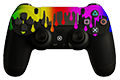
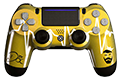

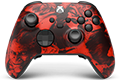



But with so many customization options available, where should you start?
The best way to customize a PS5 controller is to think about three things: how you want it to look, how you want it to feel in your hands and how you want it to perform in-game.
In this guide, we explain how to customize a PS5 controller from visual design to advanced gaming features and show you how to build a controller that is truly made for the way you play.
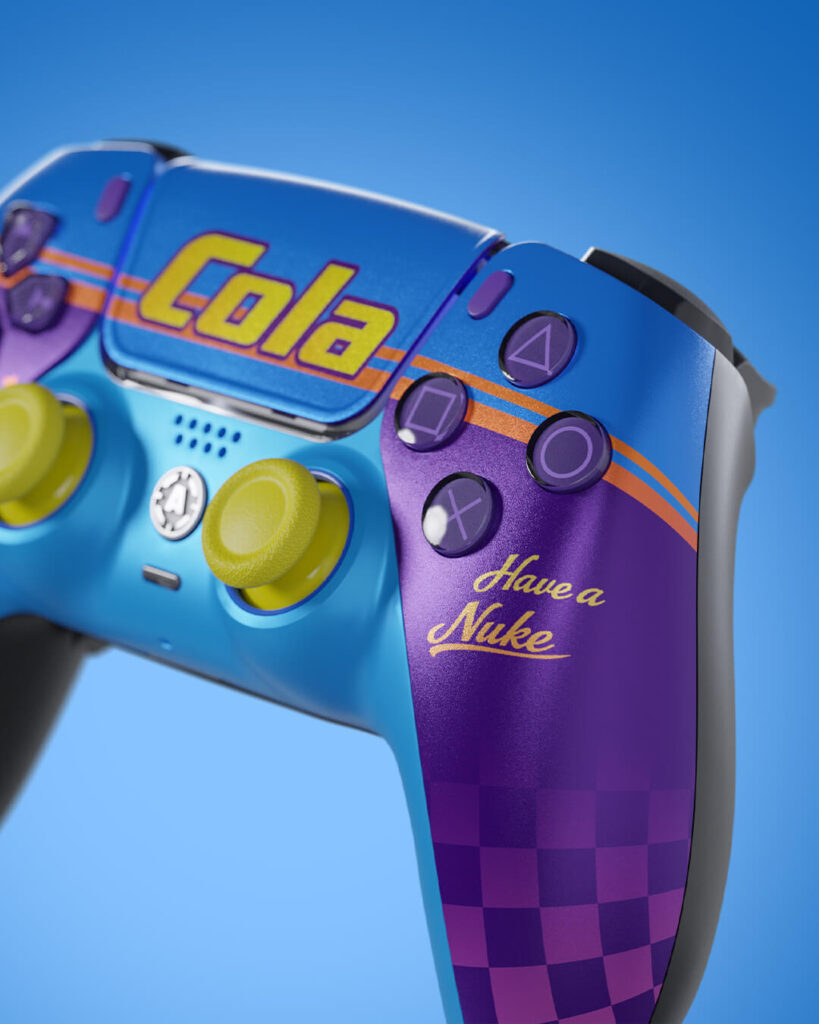
What Can You Change on a PS5 Controller?
Almost every major part of a custom PS5 controller can be personalized. Some options are purely visual, while others can directly change the way the controller feels and responds during gameplay.
| Visual Customization | Controller Feel | Performance Upgrades |
| Front shell and design | Stick tension | TMR sticks |
| Colors | Stick height | Active Triggers |
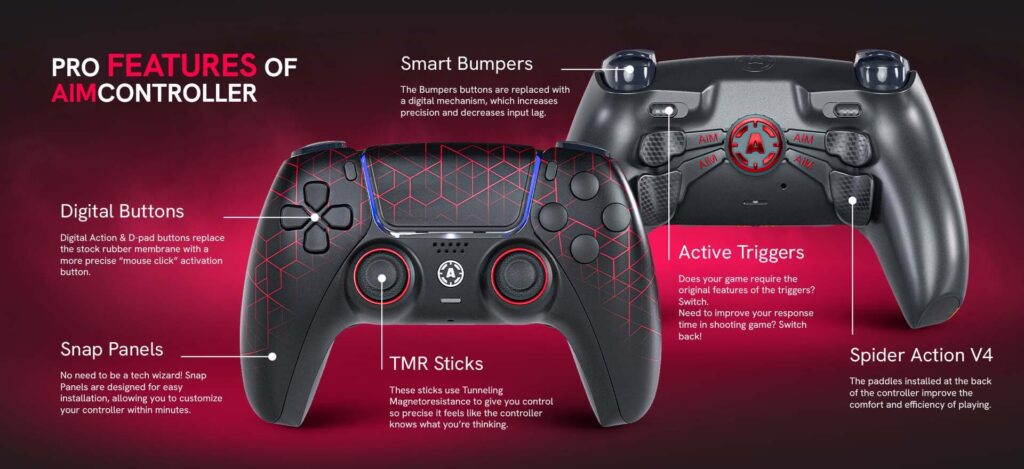
| Buttons and D-pad | Grip | Smart Bumpers |
| Touchpad | Trigger feel | Digital buttons |
| Analog stick colors | Controller weight | Rear paddles |
| Custom Snap Panel | Remapping |
This is the biggest difference between simply changing the appearance of a controller and building a fully customized PS5 controller.
A custom design can make your controller unique. Performance modifications can make the same controller better suited to FPS games, competitive gaming or your personal playstyle.
The best custom controller combines both.
PS5 Controller Design and Colors
For many players, customization starts with the design.
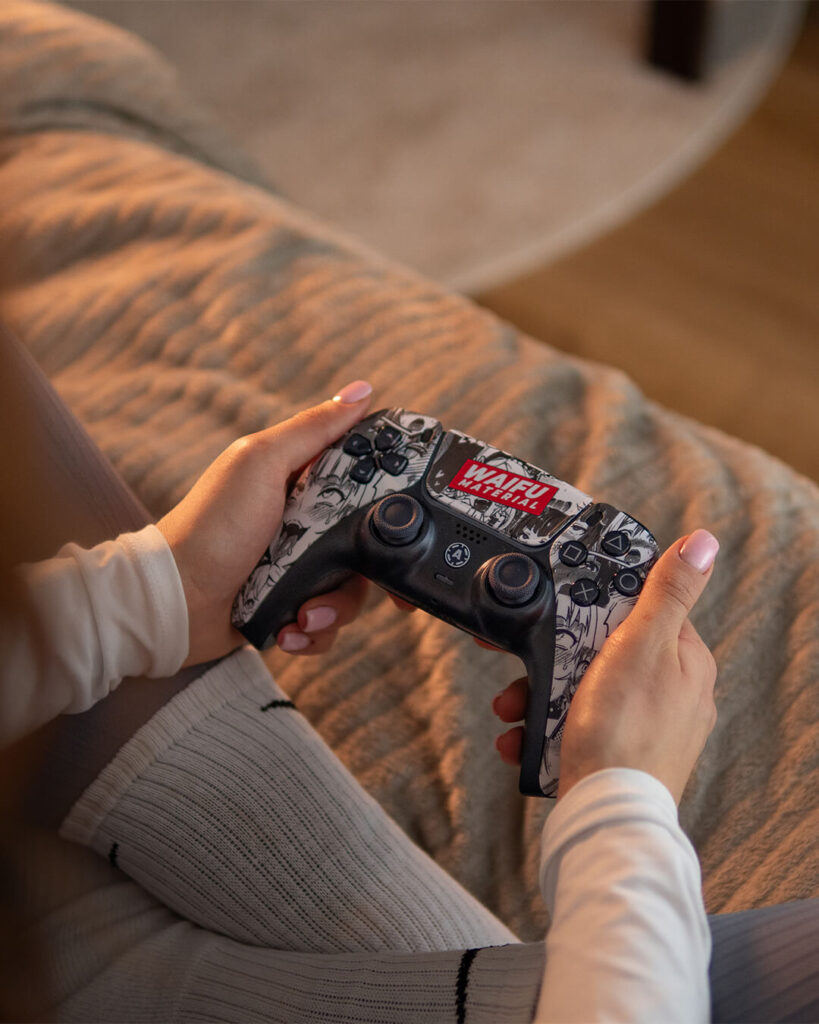
The standard PS5 DualSense controller has a recognizable look, but a custom controller gives you significantly more freedom to create something that matches your gaming setup, favorite colors or personal style.
You can start with the front shell and build the rest of the controller around it. A clean black-and-white combination can create a minimal setup, while contrasting buttons, sticks and accents can completely change the character of the controller.
Small details matter more than you might expect. Changing the action buttons, D-pad, analog sticks or touchpad can turn a simple color combination into a controller that looks completely different from a standard PS5 controller.
With the AIM PS5 Controller Configurator, you can combine visual elements and performance features in one build. Instead of choosing a controller from a fixed collection, you can create a configuration based on your own preferences.
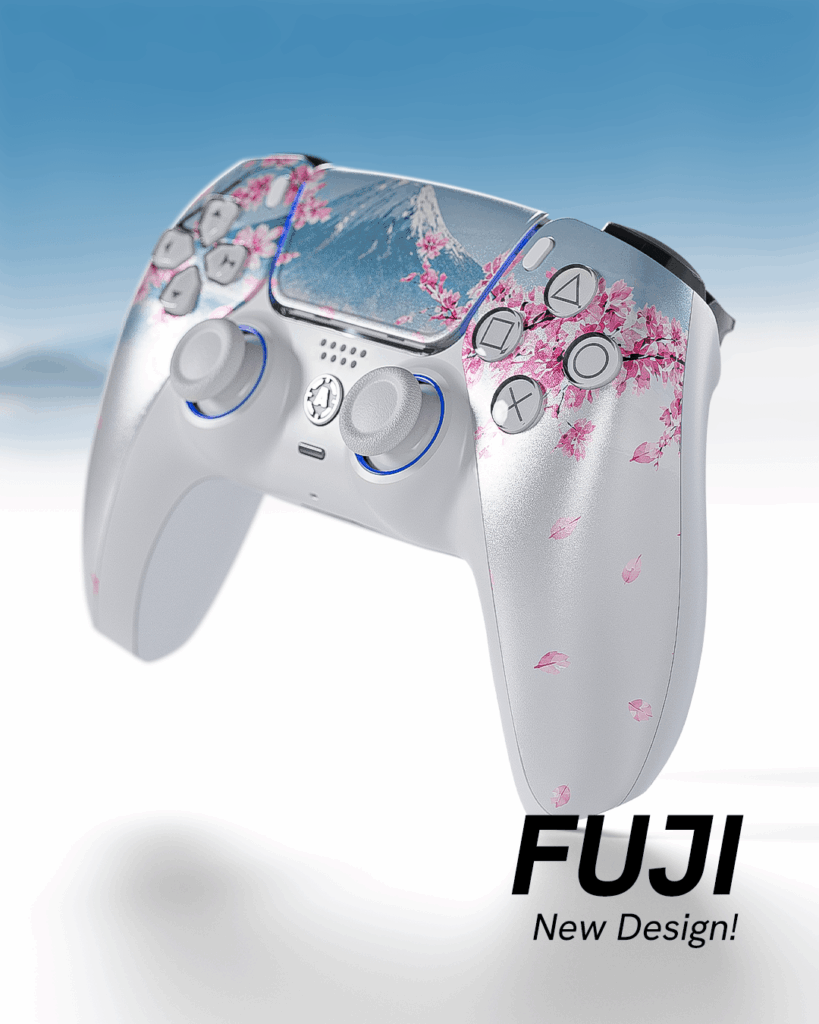
How to Put Your Own Design on a PS5 Controller
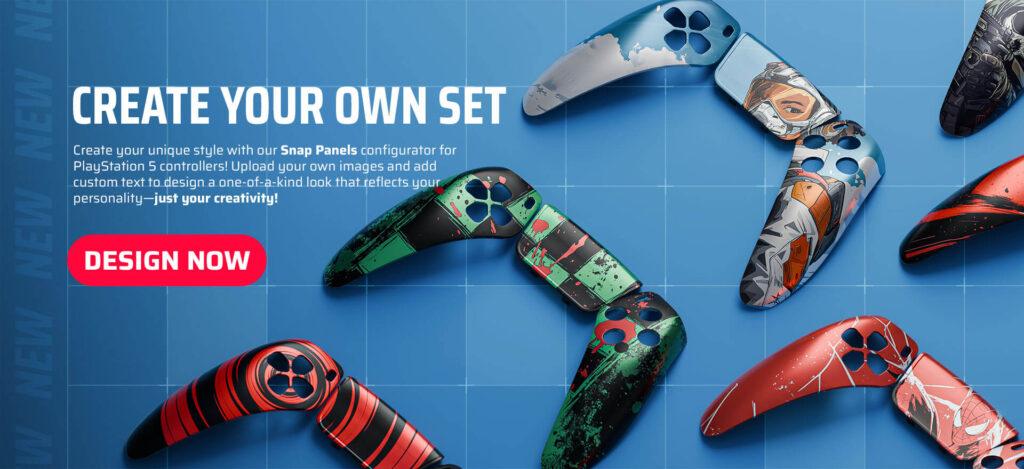
Design Your Own PS5 Snap Panel
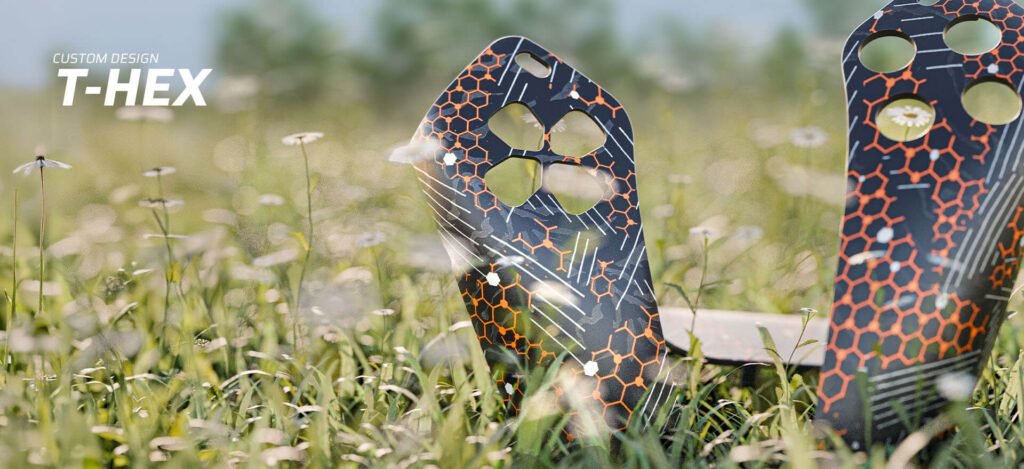
The AIM Snap Panel Designer allows you to create your own PS5 controller front panel and upload a custom image or design.
This means your controller can feature artwork created by you, a personal graphic or a visual concept built specifically around your gaming setup.
The process is simple. Create or prepare your design, upload it in the Snap Panel Designer and personalize the front panel of your controller.
Snap Panels are designed to be interchangeable, allowing you to change the look of a compatible AIM PS5 controller without building an entirely new controller every time you want a new design.
One controller can have more than one style.
AIM Snap Panels are compatible with supported AIM PS5 controllers featuring the “A” logo. Compatibility should always be checked before ordering.
When uploading custom artwork, use your own original design or content that you have the right to use.
Analog Sticks: Standard TMR, TMR Tension and Stick Height
PS5 controller customization is not only about appearance. The analogs are one of the most important parts of any controller because almost every movement and aiming adjustment starts with them.
When building an AIM PS5 controller, you can choose between Adjustable TMR Tension Sticks and Standard TMR. You can also change stick height with AIMSticks. Each option affects a different part of the controller experience, from sensing technology and physical resistance to the position of your thumb.
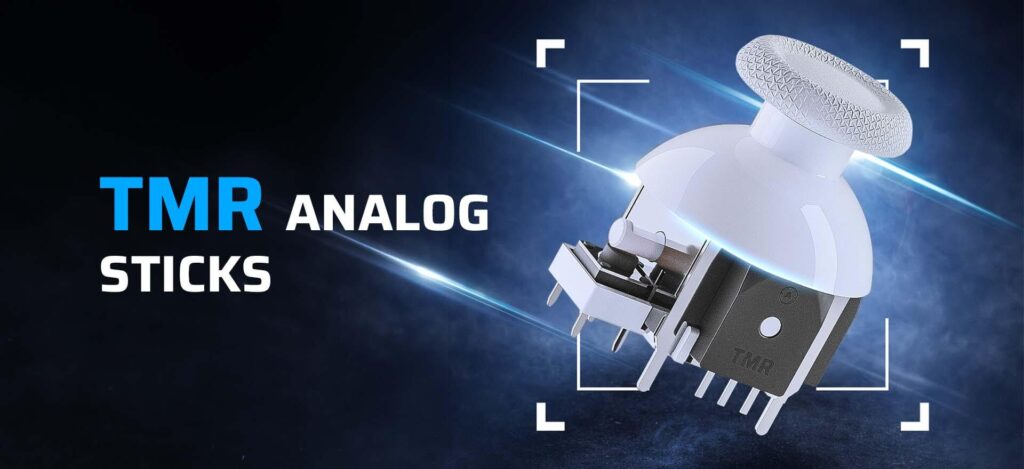
Standard TMR Sticks
Traditional analog sticks commonly use potentiometer-based sensing. TMR (Tunnel Magnetoresistance) uses magnetic sensing technology to detect stick movement without relying on the same type of physical contact inside the sensing system.
Standard TMR sticks are designed around precise and consistent stick input while maintaining a familiar stick resistance.
For players building a custom PS5 controller, Standard TMR is a performance-focused option that provides TMR sensing technology without adjustable stick tension.
TMR Tension
Stick technology is only part of the experience. The physical resistance of the analog stick also changes how it feels under your thumb.
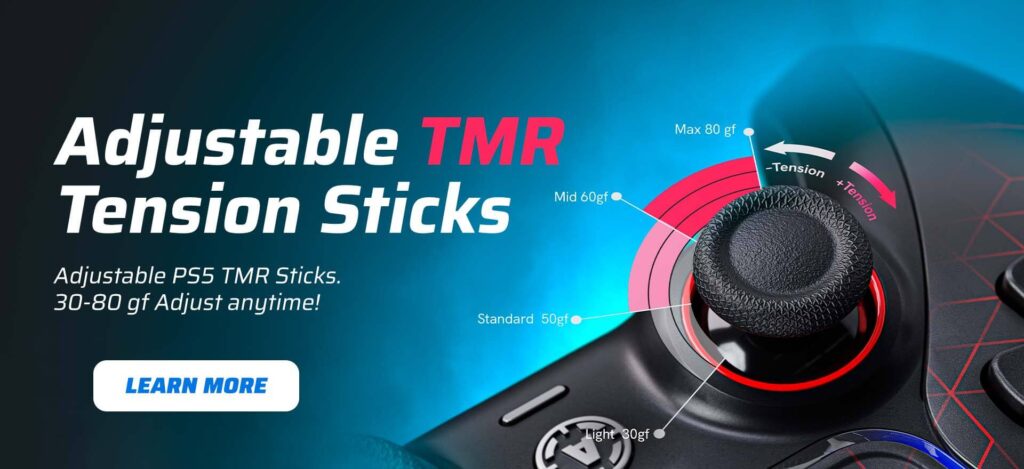
With Adjustable TMR Tension Sticks, resistance can be adjusted from 30 gf to 80 gf. Turn the adjustment to the left to reduce resistance or to the right to increase it, allowing you to change the feel of your analog sticks instead of being locked into one fixed tension.
Lower tension, closer to 30 gf, creates a lighter and faster stick feel. This may suit games built around rapid movement, quick camera changes and frequent directional inputs. Players in fast-paced titles such as Fortnite, Rocket League or action games may prefer lower resistance when speed and effortless stick movement are the priority.
Higher tension, closer to 80 gf, creates a firmer feel and requires more force to move the stick. Some players prefer increased resistance in aim-focused FPS games such as Call of Duty: Warzone, Apex Legends or Rainbow Six Siege, where controlled tracking, small aim corrections and avoiding over-adjustment can be important.
Mid-range tension can offer a balance between fast movement and controlled aiming, making it a practical starting point for games such as Call of Duty multiplayer, Battlefield or other competitive shooters.
There is no single perfect stick tension for every player or every game. Your sensitivity settings, aiming style and personal preference all affect what feels right.
The advantage of adjustable TMR tension is that you do not have to choose one resistance permanently. You can test different settings, adjust the stick from 30 gf to 80 gf and find the tension that works best for the way you play.
Stick Height and Interchangeable AIMSticks
Stick height is separate from stick technology and tension, but it can also change how the analog stick feels and responds under your thumb.
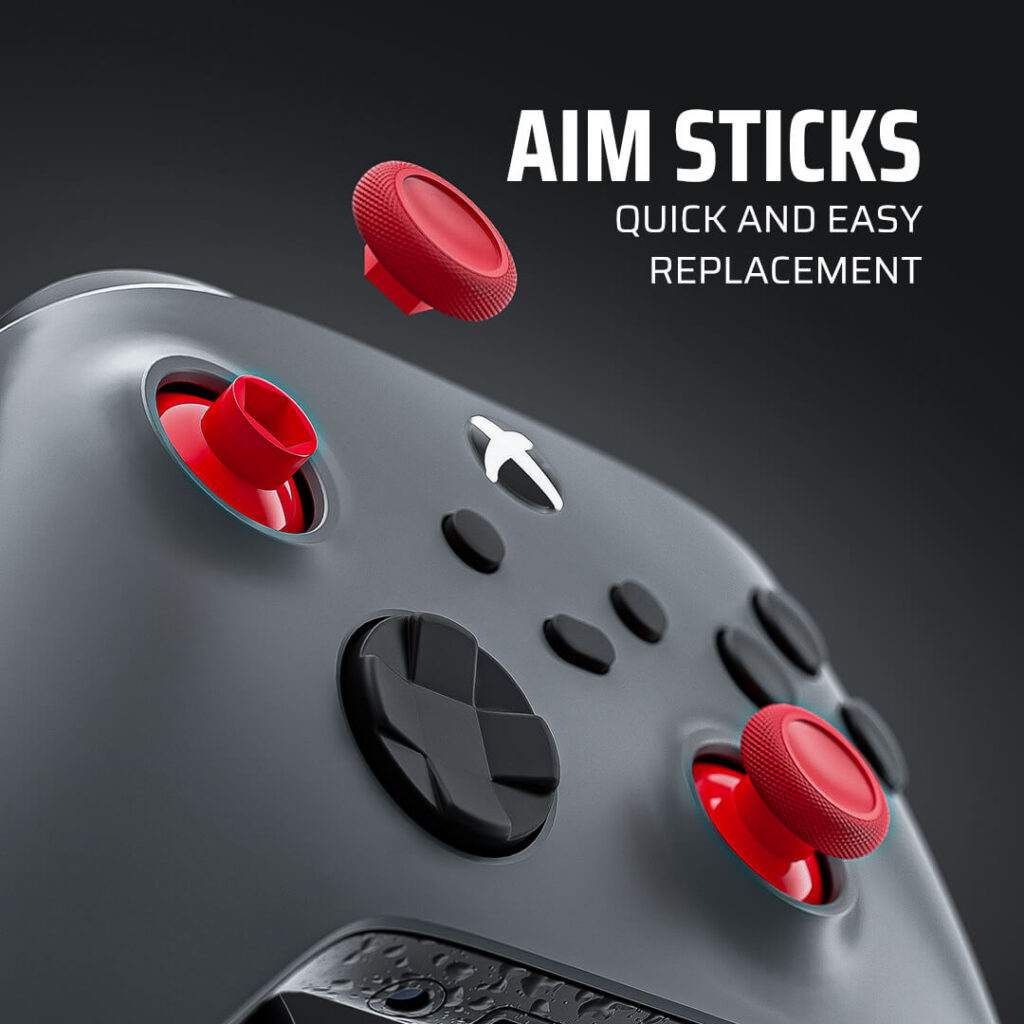
With Standard TMR, you can choose interchangeable AIMSticks, allowing you to change the height and style of the stick depending on your preferences. AIMSticks are available in Small, Medium and High heights, as well as PlayStation and Xbox-style options.
A higher stick changes the physical leverage available to your thumb and may provide more control during small aiming adjustments. Shorter sticks maintain a more familiar controller feel and may be preferred for faster movements and quick directional changes.
The main advantage of interchangeable AIMSticks is flexibility. You are not locked into one stick height permanently. You can swap the sticks and test different setups to find the height and shape that feels right for the game you are playing.
For example, you may prefer a higher right stick for more controlled aiming while keeping a shorter left stick for faster movement. Another player may prefer the same height on both sides. The setup can be adjusted around the way you play.
AIMSticks can be changed directly on a compatible controller. You can also follow the AIM guide on how to change AIMSticks for step-by-step instructions.
The goal is not to select every available modification. It is to choose the combination of stick technology, resistance and height that feels natural for your playstyle.
Active Triggers: One Controller for Different Games
Triggers are another area where the right controller setup can significantly change the gaming experience.
The ideal trigger configuration depends heavily on the type of game you play. In a racing game, full analog trigger travel is useful because acceleration and braking can depend on how far the trigger is pressed. Story-driven games may also use trigger effects as part of the overall experience.
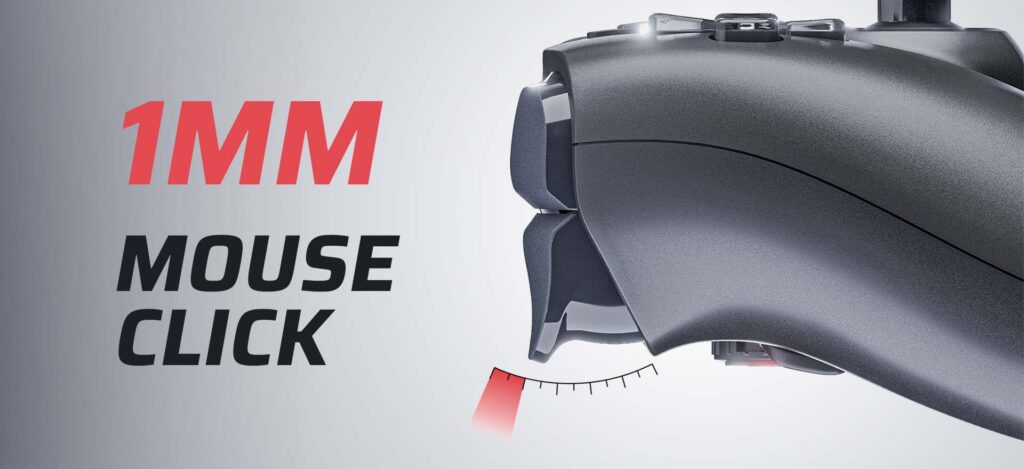
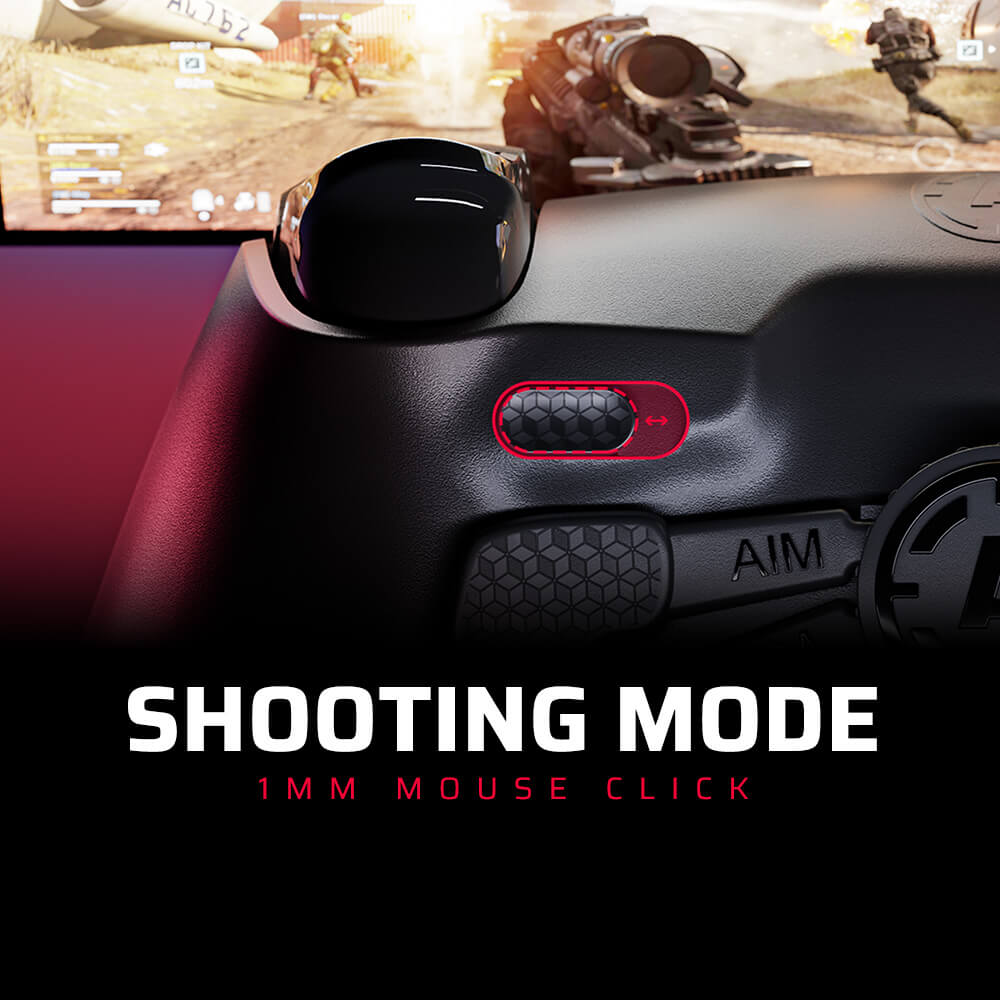
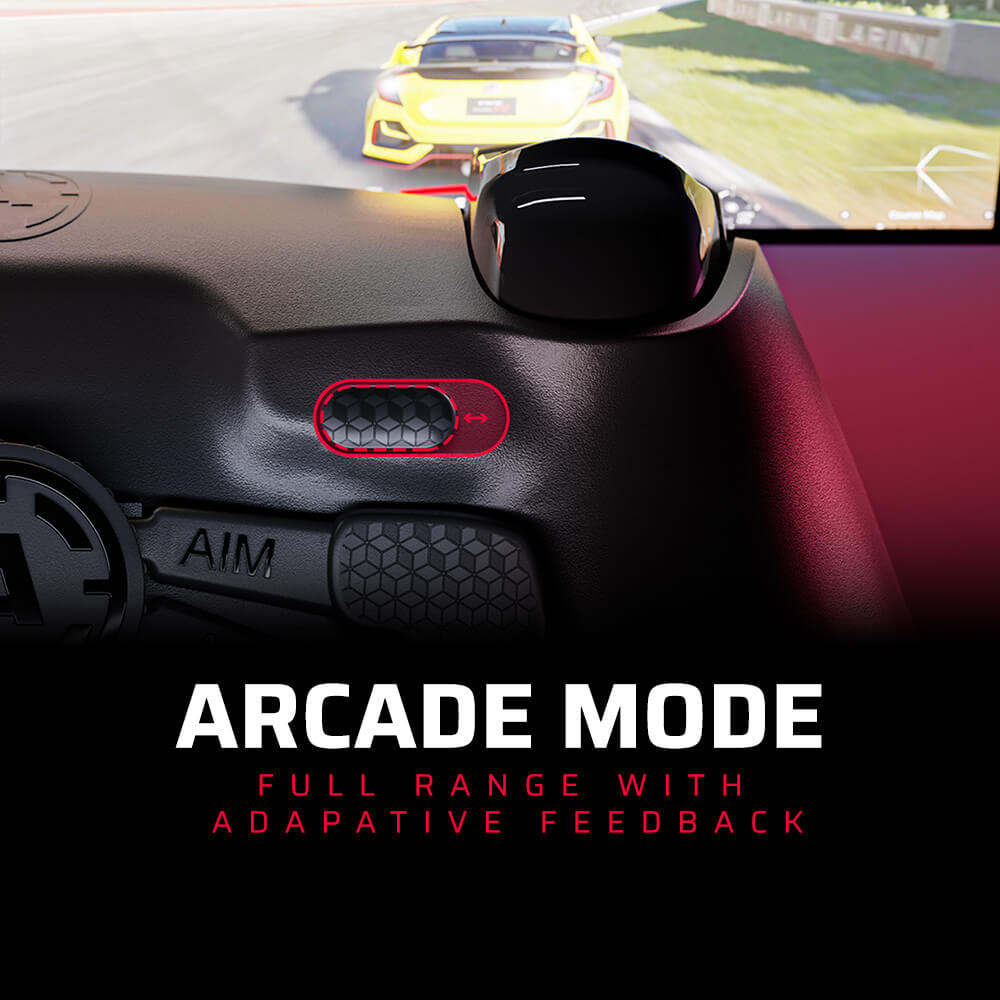
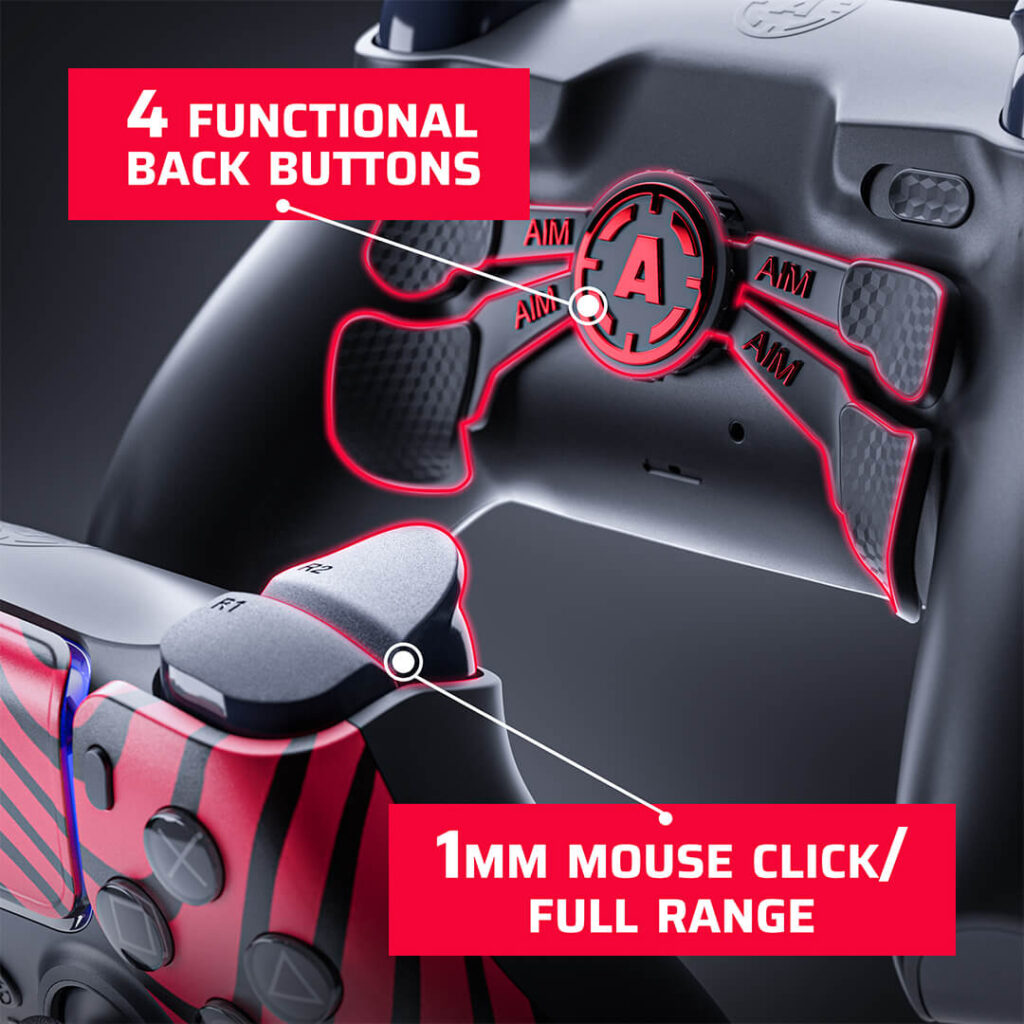
Competitive FPS games have different priorities. When firing a weapon, a player may prefer a much shorter trigger movement and fast, click-style activation. This is where AIM Active Triggers offer greater flexibility. Active Triggers allow you to switch between a short-click trigger mode and full analog trigger travel. Playing an FPS game? Use the short-click mode for fast trigger activation. Switching to a racing game? Return to full analog trigger travel for more precise acceleration and braking control. This makes Active Triggers particularly useful for players who do not want to build a PS5 controller around only one game genre. Instead of choosing between a performance-focused trigger and traditional analog control, you can change the trigger mode based on what you are playing. One controller. Different games. Different trigger setups.
Bumpers and Action Buttons
Think about how many times you press a controller button during a single gaming session. For players focused on fast inputs, the physical feel and activation of buttons can be just as important as the analog sticks or triggers.
Standard controller buttons provide the familiar feel of a traditional DualSense controller. Digital button modifications use click-style switches designed to provide a shorter and more tactile activation.
| Standard Buttons | Digital Buttons |
| Traditional controller feel | Click-style activation |
| Softer press | More tactile feedback |
| Familiar for most players | Performance-focused feel |
| Suitable for general gaming | Designed for fast inputs |
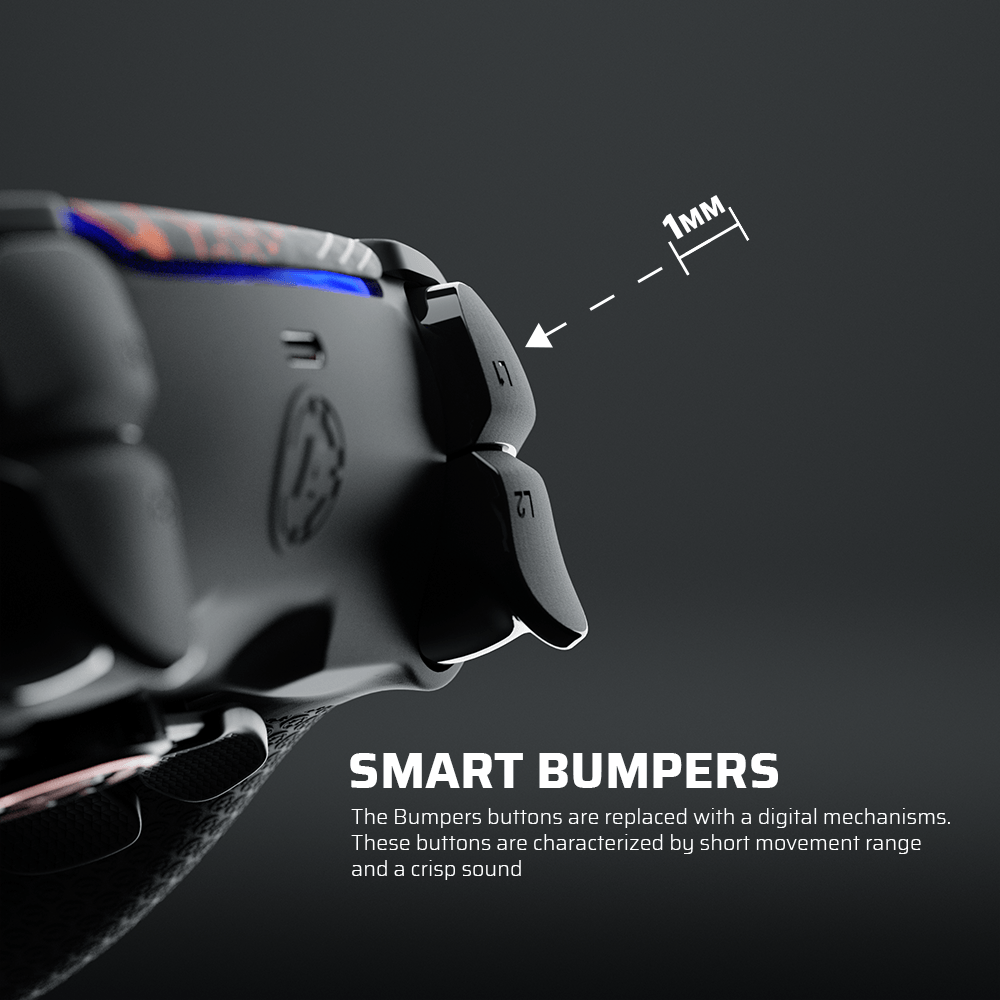
Smart Bumpers follow a similar performance-focused approach. A short-click bumper activation can create a more direct input feel compared with a traditional bumper press.
These modifications are especially relevant when building a PS5 controller for games that require frequent and repeated inputs. The important question is not whether digital buttons are automatically better for every game. It is whether you prefer a traditional controller feel or a shorter, more tactile response.
Rear Paddles and Remapping
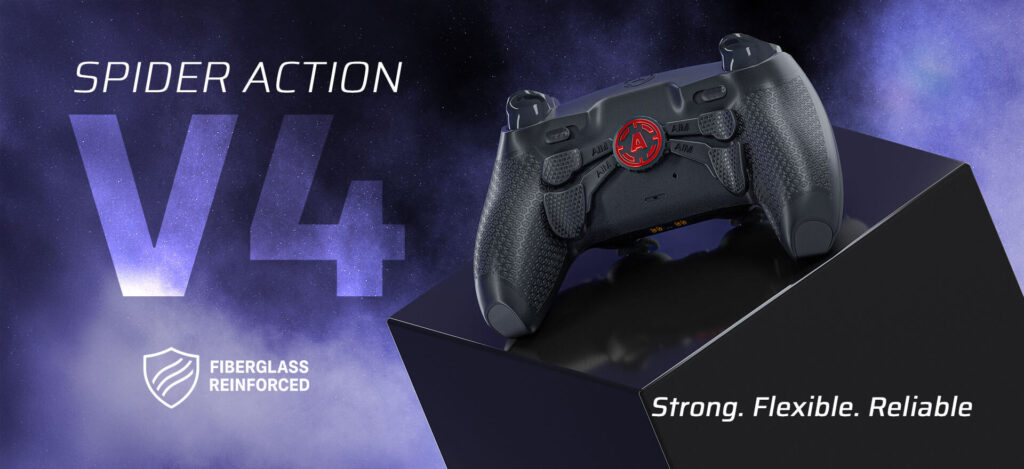
Rear paddles are one of the most recognizable features of a pro PS5 controller. The idea behind them is simple: move important actions from the front of the controller to buttons that can be activated by your fingers on the back. On a standard controller, pressing X, Circle, Square or Triangle usually requires moving your right thumb away from the analog stick. In fast-paced games, this can temporarily interrupt your ability to control the camera or aim. Rear paddles can be mapped to important actions such as jumping, crouching, sliding, reloading or switching weapons.
For example, a player can jump or slide while keeping both thumbs closer to the analog sticks. This does not automatically improve your skill. You still need to learn the new control layout and build muscle memory. However, rear paddles give you more options when creating a controller layout around the way you play. AIM PS5 controllers can be configured with four rear paddles and remapping, allowing different functions to be assigned to the rear controls. For FPS games, a four-paddle layout can give you access to several important face-button actions without constantly changing your thumb position. For other genres, you can create a completely different mapping. That is the purpose of remapping: the controller adapts to your control preferences instead of forcing every player to use exactly the same layout.
Grip and Controller Feel
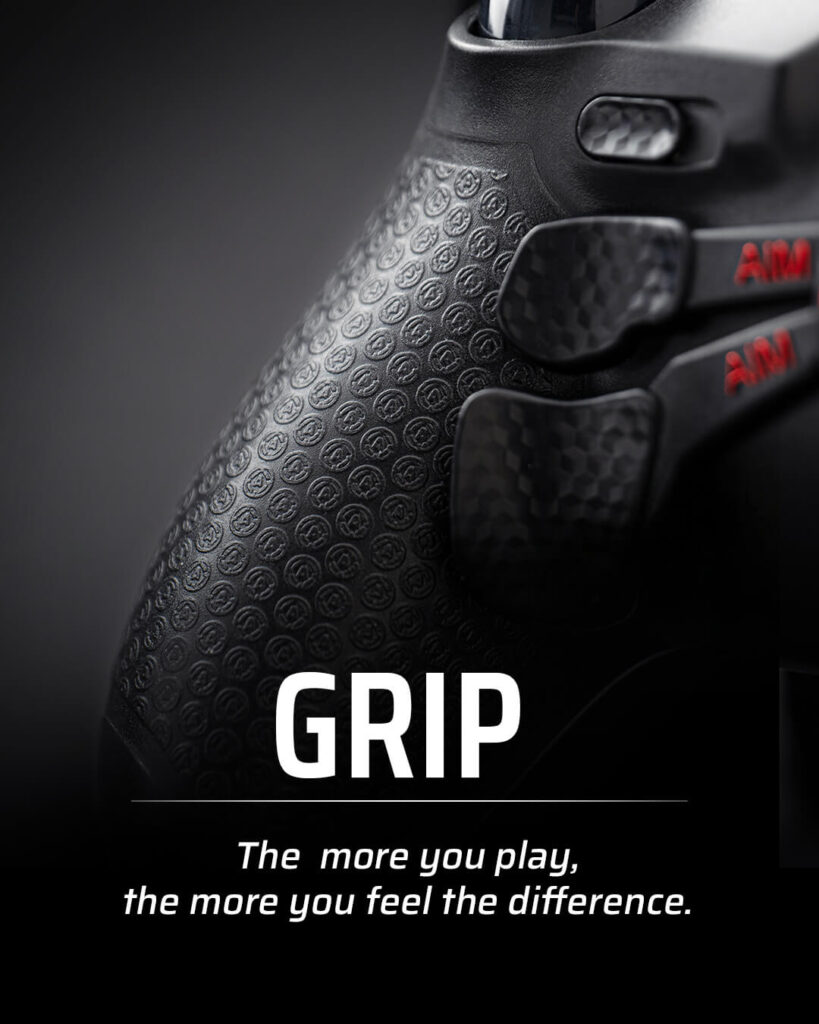
Performance is not only about sensors, switches and response. You also have to hold the controller. During longer gaming sessions, the surface of the controller and the way it sits in your hands can become increasingly important. A secure grip can help the controller feel more stable, particularly during fast or intense gameplay. A Pro Grip adds a more textured gripping surface to the rear of the controller. When choosing your custom PS5 controller configuration, it is worth thinking about the complete physical experience. How much stick resistance do you prefer? Do you use higher analog sticks? Will you use four rear paddles? Do you want a more secure grip surface? Each individual option may seem small, but together they determine how the controller feels in your hands.
Should You Remove Vibration?
Vibration is another feature that can be selected based on how you play. For story-driven games, vibration can be an important part of immersion. Physical feedback can add more impact to gameplay and make in-game events feel more engaging. Competitive players may have different priorities. Some FPS players prefer to disable vibration because they want fewer physical distractions while aiming. Removing the vibration motors can also reduce the weight of the controller. This is the idea behind a performance-focused setup such as Focus Mode. Does removing vibration automatically improve aim? No. Controller modifications cannot replace practice, game knowledge or mechanical skill. mHowever, if you already disable vibration in every competitive game and prefer a lighter controller, removing the vibration system may make sense for your personal configuration. The right choice depends on what you play.
Building a PS5 Controller for Your Playstyle
There is no single best custom PS5 controller configuration for every gamer. The right setup depends on the games you play, the inputs you use most and the way you prefer your controller to feel. A player spending hundreds of hours in competitive FPS games will usually have different priorities from someone switching between racing games, action titles and multiplayer shooters. Even two FPS players may prefer different stick resistance, paddle mappings or controller weight. Instead of selecting modifications simply because they sound advanced, start with the games you actually play and the parts of a standard controller you would most like to change.
Competitive FPS Controller
For competitive FPS games, the main priorities are often fast inputs, controlled aiming and access to important actions without constantly moving your thumbs away from the analog sticks. A performance-focused FPS build can combine Standard TMR or Adjustable TMR Tension Sticks, Active Triggers, Smart Bumpers, digital buttons, four rear paddles, remapping and Pro Grip. If you prefer a familiar stick resistance, Standard TMR sticks combined with interchangeable AIMSticks give you more flexibility when choosing stick height. A common approach is to use a higher right stick for aiming and a shorter left stick for movement.
Players who want to experiment with physical stick resistance can choose Adjustable TMR Tension Sticks. Lower resistance may feel more responsive for rapid movement, while higher resistance can provide a firmer feel for tracking and small aim corrections. Because the tension can be adjusted from 30 gf to 80 gf, you can test different settings instead of choosing one fixed resistance. Active Triggers can be switched to short-click mode for faster trigger activation, while Smart Bumpers and digital action buttons provide a shorter, click-style input feel. Rear paddles can move actions such as jump, crouch, slide or reload to the back of the controller. This allows you to perform important actions while keeping your thumbs closer to the analog sticks. For example, a four-paddle FPS setup could place jump, crouch or slide, reload and weapon switch on the rear controls. The exact mapping should depend on the game and your existing muscle memory. Players who always disable vibration in competitive games may also consider Focus Mode. Removing the vibration motors reduces controller weight and removes physical feedback during gameplay.
The result is a controller built around fast access to inputs and greater control over the way the sticks feel.
All-Round PS5 Controller
If you regularly switch between different game genres, flexibility becomes more important than building the controller around one specific type of gameplay. An all-round PS5 controller can combine Standard TMR sticks, interchangeable AIMSticks, Active Triggers, rear paddles, remapping and Pro Grip while keeping vibration. Standard TMR sticks are a practical option for this type of build because they maintain a familiar stick resistance while adding TMR sensing technology. With interchangeable AIMSticks, you can also test different stick heights and change the setup depending on your preferences. Active Triggers are particularly useful for players who switch between genres. When playing Call of Duty, Fortnite or another shooter, you can use short-click trigger mode. Switch to a racing game and you can return to full analog trigger travel for acceleration and braking. For action or story-driven games, full trigger travel maintains a more traditional controller experience. Rear paddles do not have to be used only for competitive FPS games. Remapping allows you to assign different actions depending on the game. In a shooter, a paddle may be used for jumping or sliding. In an action game, the same rear control could be mapped to dodge, interact or another frequently used button. Keeping vibration may also make more sense for an all-round controller. Haptic feedback and vibration can be part of the experience in racing, action and story-driven games, so removing the vibration motors is not automatically the best choice for every player. The goal of an all-round build is versatility. Instead of optimizing every feature for one competitive title, you create a PS5 controller that can adapt when you move from an FPS game to racing, sports or a single-player experience.
Design-Focused Custom PS5 Controller
Performance is not the only reason to build a custom PS5 controller. For some players, the main goal is to create a controller that looks completely different from a standard DualSense and matches their gaming setup, favorite colors or personal style.
Start with the visual direction of the controller. Choose the shell, buttons, D-pad, sticks and touchpad to create a consistent color combination. You can build a clean monochrome controller, use contrasting colors or create a more detailed design with multiple accents. If you want to use your own artwork or image, a custom Snap Panel gives you another level of personalization.
Performance features can then be added based on what you will actually use. You may want TMR sticks for the stick technology but keep standard triggers and buttons. You may prefer rear paddles but have no need for Focus Mode. A custom controller does not have to include every performance modification available. The purpose of customization is to choose the features and design elements that make sense for you.
Which PS5 Controller Setup Should You Choose?
| Your Priority | Features to Consider |
| Competitive FPS | TMR or TMR Tension, Active Triggers, Smart Bumpers, digital buttons, 4 remapping paddles, Pro Grip |
| Controlled aiming | Adjustable TMR Tension, higher stick resistance, rear paddles |
| Fast movement | Lower TMR tension or Standard TMR, shorter stick setup, rear paddles |
| Multiple game genres | Standard TMR, interchangeable AIMSticks, Active Triggers, remapping paddles, vibration |
| Racing and action games | Active Triggers with full analog mode, vibration, Pro Grip |
| Custom design | Custom shell, buttons, sticks, touchpad or personalized Snap Panel |
The best place to start is with one question: what do you want your current controller to do differently? If you want faster access to important actions, look at rear paddles and remapping. If aiming and stick feel are your priority, compare Standard TMR with Adjustable TMR Tension. If you switch between FPS and racing games, Active Triggers may offer more flexibility.
And if your standard controller already performs the way you want but does not look like your controller, start with the design. A custom PS5 controller should solve the things you want to change, not simply include the longest possible list of modifications.
Personalized Custom Controller
For some players, the goal is to build a controller that looks completely different from a standard DualSense. Start with the shell, buttons, D-pad, sticks and touchpad. Choose a color combination that matches your setup or create a custom Snap Panel using your own design.
Performance modifications can then be added based on your preferences. A controller can be personal without being performance-focused. It can be performance-focused without using a bold design. Or it can be both.
Visual vs Performance Upgrades
The term “custom PS5 controller” can mean very different things depending on the player. Some gamers want a controller that matches their gaming setup. Others are looking for rear paddles, different triggers or advanced stick options. There is no reason these two types of customization have to be separate.
| Visual Upgrades | Performance Upgrades |
| Custom shell | TMR sticks |
| Personal design | TMR Tension |
| Snap Panels | Active Triggers |
| Button colors | Smart Bumpers |
| Touchpad colors | Digital buttons |
| Analog stick colors | Rear paddles |
| D-pad colors | Remapping |
| Focus Mode | |
| Pro Grip |
A custom PS5 controller can look personal and be configured around the way you play. That is where controller customization becomes more than choosing a color.
How to Build Your Own Custom PS5 Controller
The easiest way to start is to decide what you want from your controller before selecting individual options. First, choose your visual direction. Do you want a clean controller, a bold color combination or something completely personal? Next, think about the games you play most. If competitive FPS games are your priority, look at the analog sticks, triggers, bumpers and rear controls. If you play several genres, focus on flexible options that allow the controller to work across different types of games.
Then consider how you want the controller to feel. Stick tension, stick height, grip and controller weight can all affect the physical experience. With the AIM PS5 Controller Configurator, you can combine visual customization and performance features in a single build. Choose your design. Configure your sticks. Select your trigger and button options. Add rear remapping paddles and grip based on your preferences. The result is not simply a different-looking PS5 controller. It is your controller, built around your style and the way you play.
BUILD YOUR CUSTOM PS5 CONTROLLER
Create a PS5 Controller Built Around You
Learning how to customize a PS5 controller is ultimately about understanding which design elements and features make sense for the way you play. The best PS5 controller customization is not about adding the highest number of modifications. It is about making deliberate choices.
Choose a design you want to see every time you play. Select analog sticks that match the feel you prefer. Configure your triggers around the games you play and place important controls where they make sense for your hands. Whether you want a personalized PS5 controller with your own style, a performance-focused setup for competitive FPS games or a versatile controller for different genres, customization gives you the freedom to build around your priorities. Your controller is one of the main points of contact between you and the game. Why should every player use exactly the same setup? With AIM, you can combine custom PS5 controller design with performance features in one build. Choose your design. Choose your features. Build your custom PS5 controller.
Frequently Asked Questions
- Can you customize a PS5 controller?
Yes. A PS5 controller can be customized visually and functionally. Depending on the controller and customization service, options can include shell colors, buttons, analog sticks, custom designs, triggers, bumpers, rear paddles, remapping and grip modifications. - What parts of a PS5 controller can be customized?
Visual elements such as the front shell, buttons, D-pad, touchpad and analog sticks can be customized. Performance-focused controllers may also offer TMR sticks, stick tension options, trigger modifications, digital buttons, rear paddles, remapping and grip upgrades. - Can I upload my own image for a PS5 controller design?
Yes. With the AIM Snap Panel Designer, you can upload a custom image or original design to create a personalized Snap Panel. You should only upload artwork or content that you have the right to use. - Can you add paddles to a custom PS5 controller?
A custom pro controller can be built with rear paddles. AIM PS5 controllers can be configured with four rear paddles and remapping, allowing selected controller functions to be assigned to the rear controls. - What are TMR sticks in a PS5 controller?
TMR stands for Tunnel Magnetoresistance. TMR sticks use magnetic sensing technology to detect analog stick movement. They are a contactless sensing option designed for precise and consistent stick input. - Are short-click triggers good for FPS games?
Many FPS players prefer short-click trigger activation because it reduces the physical trigger movement required for an input. The best trigger type still depends on personal preference and the games you play. - Can I customize a PS5 controller for Call of Duty?
Yes. A PS5 controller can be configured around FPS gameplay with options such as TMR sticks, stick tension, short-click triggers, Smart Bumpers, digital buttons, rear paddles, remapping and grip modifications. - Can you remove vibration from a PS5 controller?
Performance-focused custom controllers may offer configurations without vibration motors. This can reduce controller weight and may appeal to competitive players who normally disable vibration in-game. - Is a custom PS5 controller worth it?
A custom PS5 controller may be worth considering if you want a personalized design, specific controller features or a control layout built around your playstyle. The value depends on which customization options you will actually use. - Can I customize both the design and performance of a PS5 controller?
Yes. Visual and performance customization can be combined in one controller. You can create a personal design while also selecting features such as TMR sticks, Active Triggers, Smart Bumpers, rear paddles and remapping.

Latest news
Best MW4 Controller Settings for PS5 and PC
Struggling to stay on target, overshooting your shots or taking your thumb off the aiming [...]
Oct
Arc Raiders Frozen Trail Update: Release Date and More
ARC Raiders Frozen Trail: Release Date, New Map & Everything Coming October 8 ARC Raiders [...]
Sep
How to Customize a PS5 Controller: Design & Performance
A PS5 controller does not have to look, feel or perform exactly like the standard [...]
Aug
Marius Board Guide: Native 8000Hz Polling, TMR Sticks, Advanced Calibration & Ultra-Low Latency Performance
Introduction Competitive gaming has changed dramatically over the last decade. Players invest in 240Hz and [...]
Jun
How Long Does It Take to Adapt to Back Paddles? | PS5 Paddle Guide
How Long Does It Take to Adapt to Back Paddles? Most players struggle with back [...]
May
Best Controller Settings for Warzone (2026) + Loadout Guide for Aim, Movement and Consistency
Winning fights in Warzone is not just about running the best loadout on your gaming [...]
Apr
Best PS5 Controllers in 2026 – Ultimate Ranking of Pro & Custom PS5 Controllers
Best PS5 Controller 2026 – Introduction Are you looking for the best PS5 controller in [...]
Mar
How Controller Maintenance Prevents Drift, Stick Drift, and Joystick Issues in PS5 and Xbox One Controllers
How Controller Maintenance Prevents Drift, Stick Drift, and Joystick Issues on PS5 and Xbox One [...]
Dec